
AI Schedule in Conversations: Timed Emails for Maximum Engagement

Photo by Stephen Phillips - Hostreviews.co.uk on Unsplash
Why timing matters
When an email arrives at the right moment, recipients notice it, open it, and are more likely to reply. Poor timing makes even a great message invisible. AI Schedule gives us a smarter way to schedule emails so they land when each recipient is most likely to engage.
How AI Schedule works
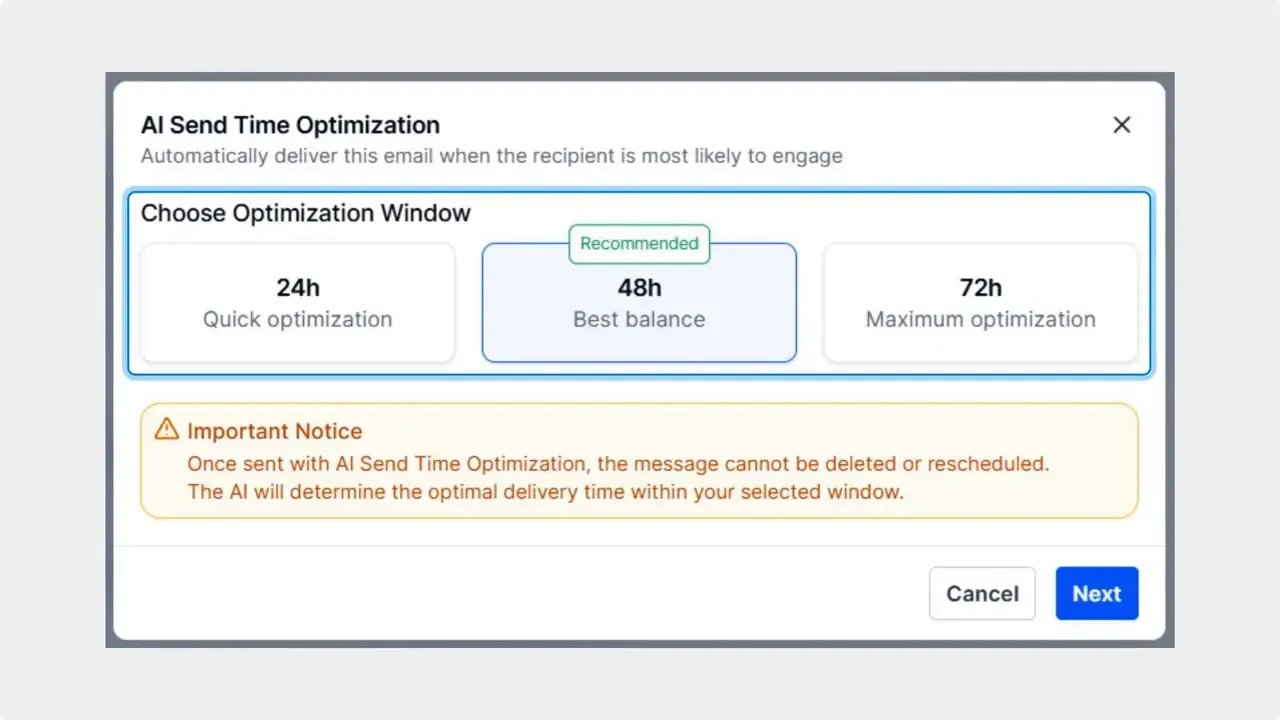
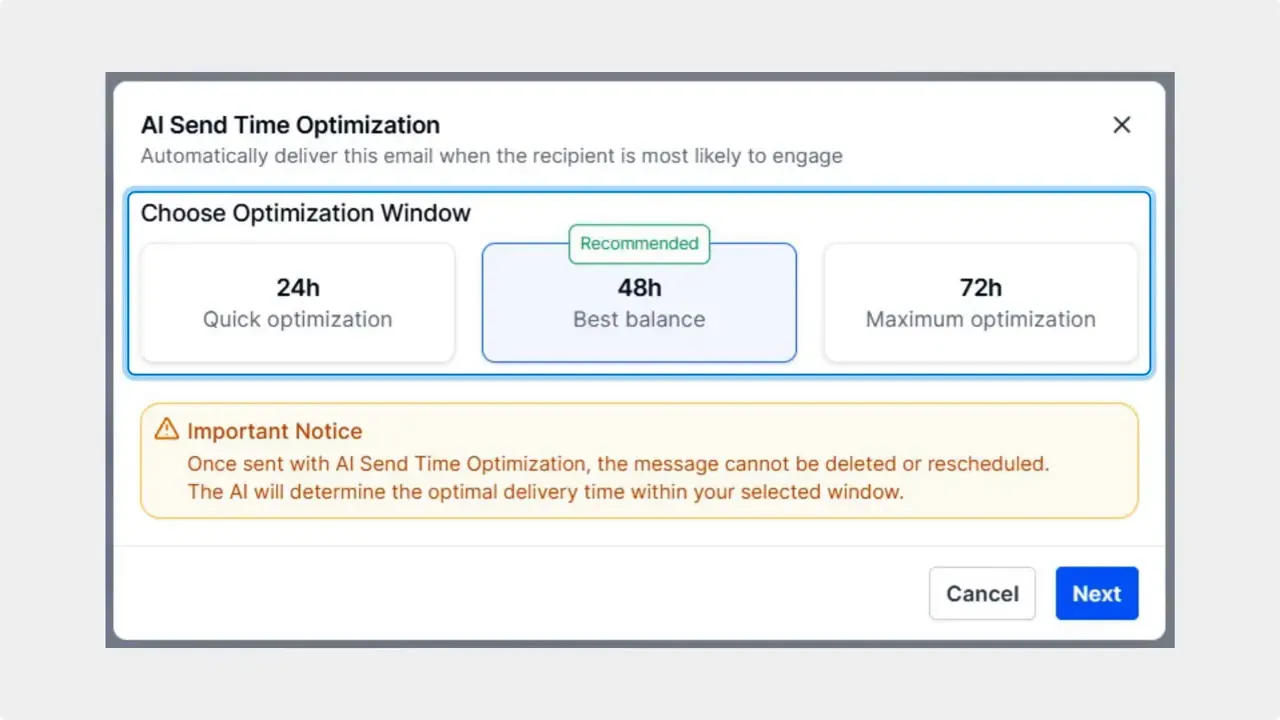
AI Schedule analyzes past engagement behavior for each contact and finds the best time window to send an email. You pick a preferred optimization window and the AI selects the most effective send time within that window. If there is not enough history for a recipient, the message is sent right away so there is no delay.
Step-by-step: Sending an email with AI Schedule
- Open the contact you want to message and choose Email as the channel.
- Compose your message. Keep it clear and concise.
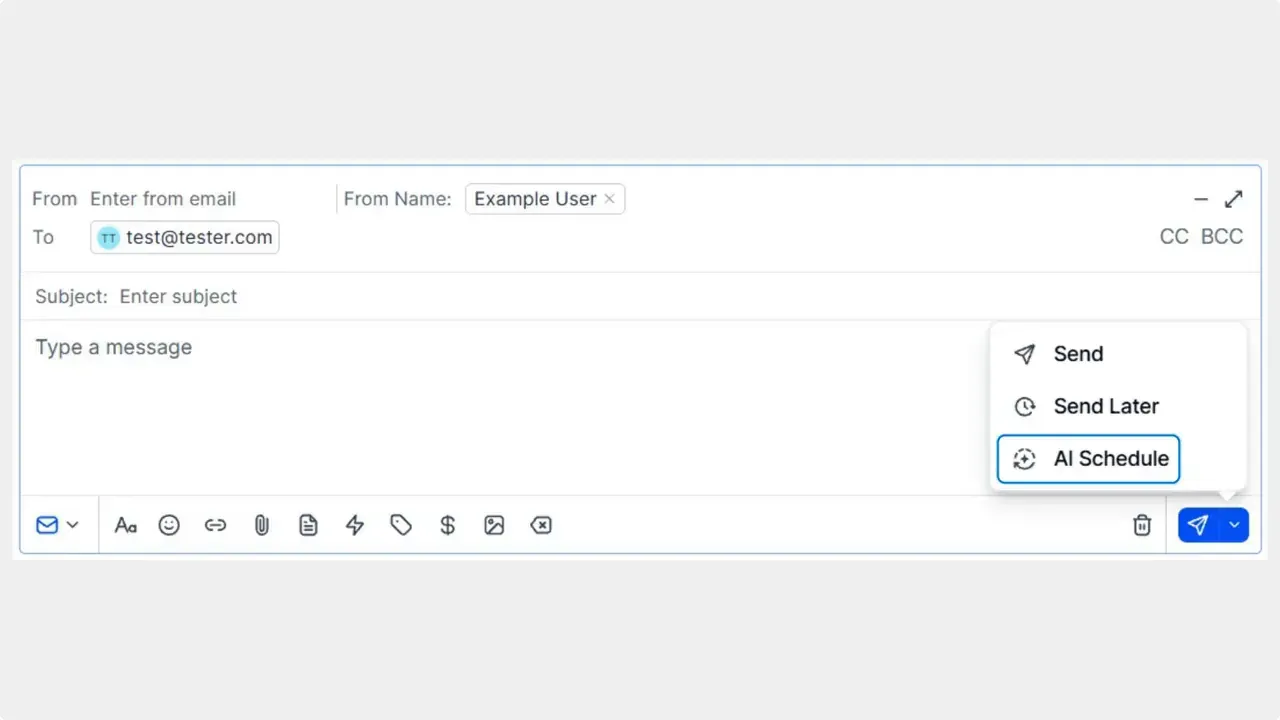
- Open the sending menu and choose AI Schedule as the sending option.
- Click Edit and select your preferred optimization window — for example, a morning or afternoon range.
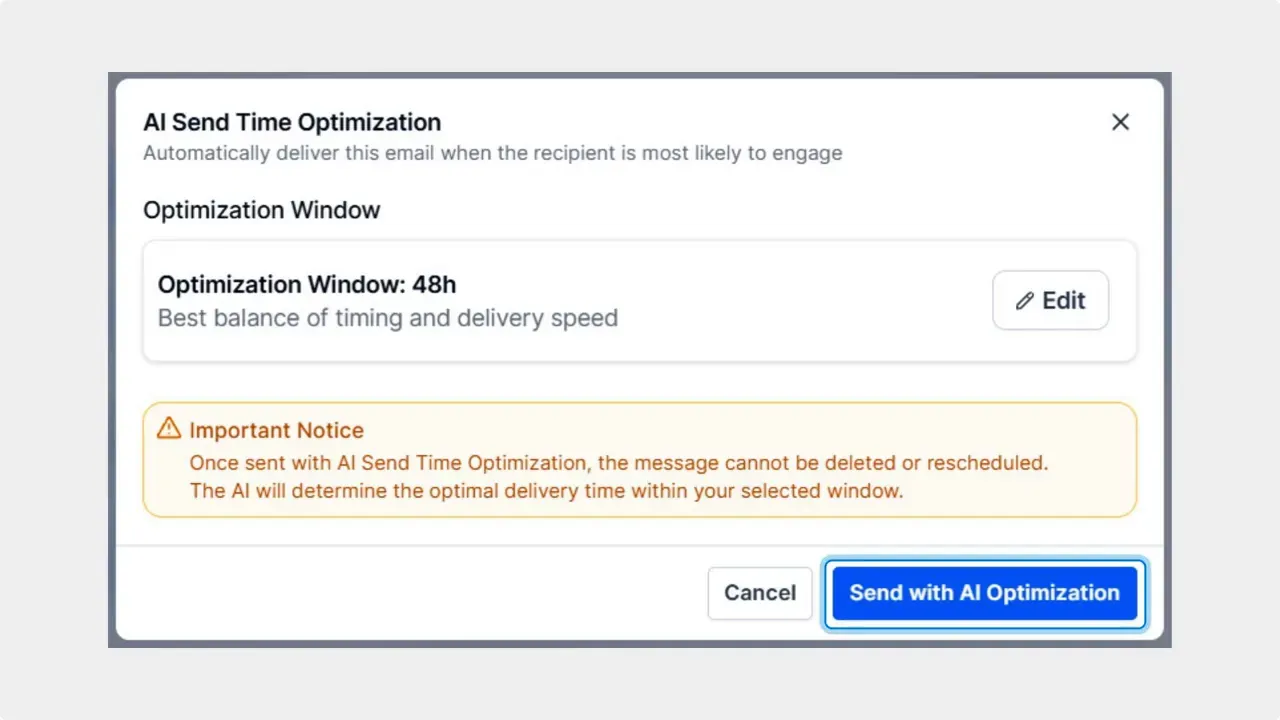
- Click Send with AI Optimization. The system will schedule the email to arrive when the contact is most likely to open and respond.
What to expect
Using AI Schedule takes the guesswork out of timing. The result is higher open and response rates and a smoother customer experience. The AI chooses the best moment within your window so your outreach is more relevant and timely.
Benefits at a glance
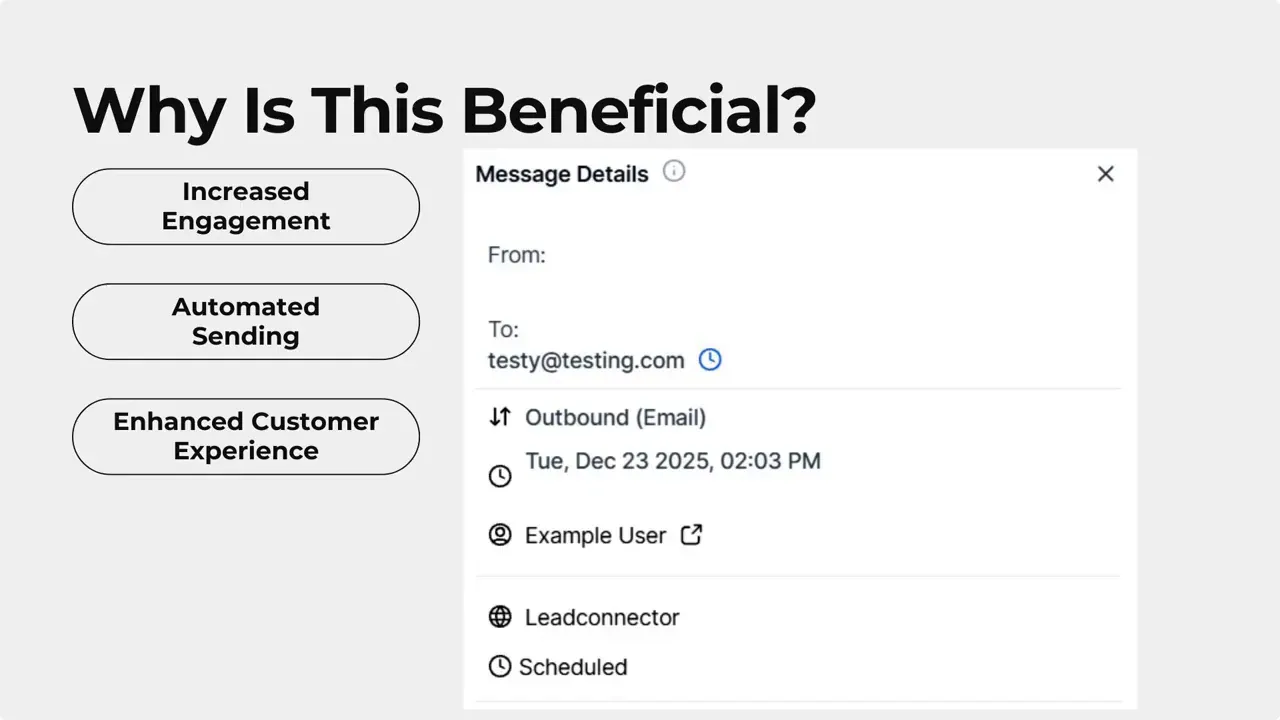
- Increased engagement — AI picks times based on past behavior.
- Automated delivery — emails are scheduled for optimal impact or sent immediately if needed.
- Personalized timing — each contact can get messages when they are most likely to respond.
Best practices
- Choose a realistic optimization window that matches typical work hours or the behavior of your audience.
- Keep messages short and actionable to improve reply rates.
- Combine AI Schedule with tracking to measure open and response improvements over time.
FAQ
What does AI Schedule do?
AI Schedule analyzes a contact's past engagement and chooses the best time within your selected window to send the email so it is more likely to be noticed and answered.
How do we enable AI Schedule when sending an email?
Open the contact, select Email, compose your message, open the sending menu, choose AI Schedule, click Edit to set your preferred optimization window, then click Send with AI Optimization.
What if there is not enough engagement data for a contact?
If there is insufficient data for the AI to optimize timing, the email will be sent immediately so communication is not delayed.
Can we control when the AI chooses to send within a day?
Yes. You set a preferred optimization window and the AI selects the best moment inside that window for each recipient.
What improvements should we expect after using AI Schedule?
Expect higher open and response rates because messages arrive when recipients are most likely to engage. Results vary by audience and message quality.
This article was created from the video AI Schedule in Conversations: Timed Emails for Maximum Engagement



